
Play along as the host
Small party? Turn on “I’m playing too” and your host phone becomes your player screen — it never shows you the answers.
-
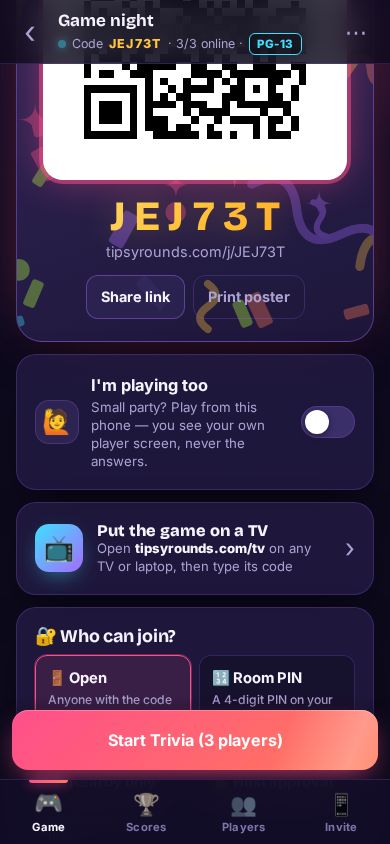
Step 1: Turn on I’m playing too
On the host screen’s Game tab, flip the 🙋 I’m playing too switch.
-
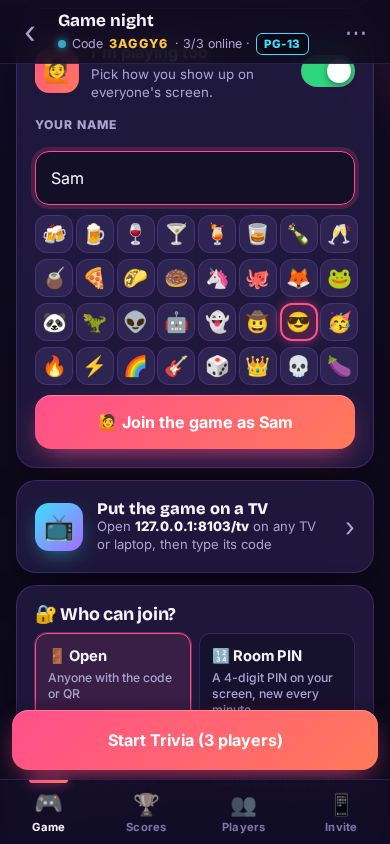
Step 2: Join as a player
Check your name, tap an avatar, then 🙋 Join the game as …. You show up in the lobby like everyone else.
-
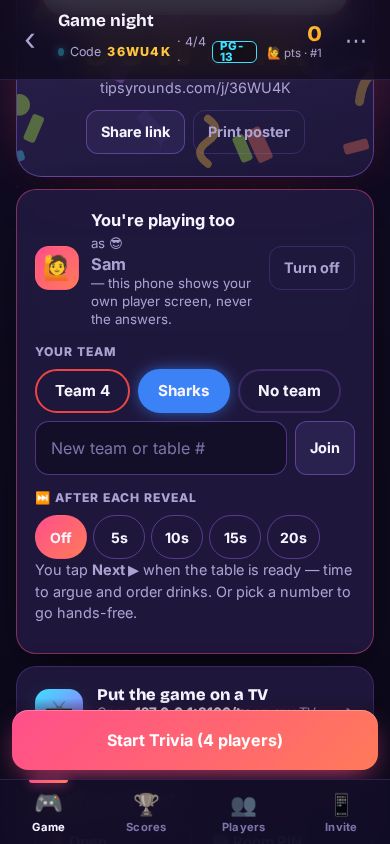
Step 3: Pick a team and the pace
Tap your team if you’re playing in teams. Under ⏭️ After each reveal, choose Off to tap Next yourself, or a few seconds to go hands-free.
-
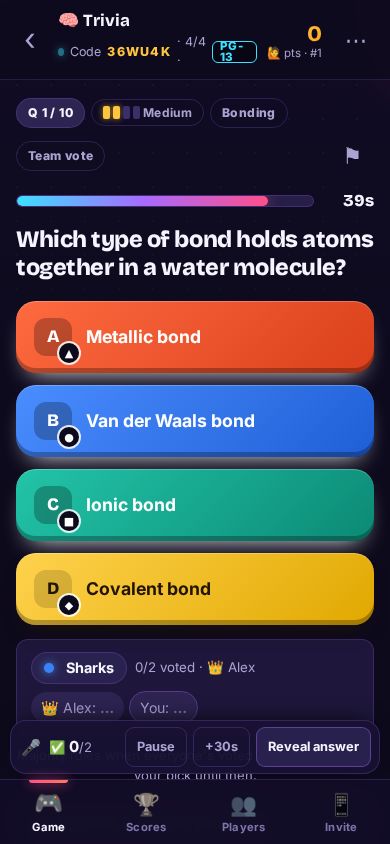
Step 4: Answer like everyone else
During a question your phone shows your own player screen — never the answer. A slim bar at the bottom keeps Pause, +30s and Reveal answer in reach.
Tips
- Stop playing any time: your points so far still count, and you just host.
- It needs no account at all.
- At a bar, a separate host is usually fairer — the room can see you’re not peeking.
Still stuck? Contact us — a real person reads every message. · All help articles