
Printable sheets and paper teams
Tables without phones play on a printed answer sheet; you type in their score and they show up on the standings.
-
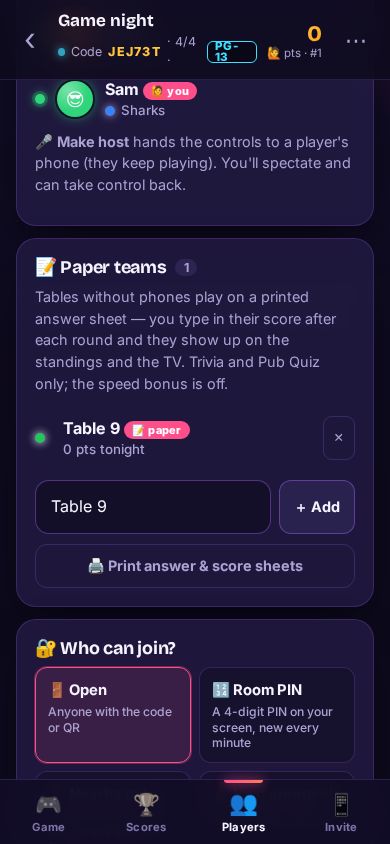
Step 1: Add a paper team
On the host screen’s Players tab, find 📝 Paper teams, type the table’s name and tap + Add. It’s the Venue / Unlimited plan extra.
-
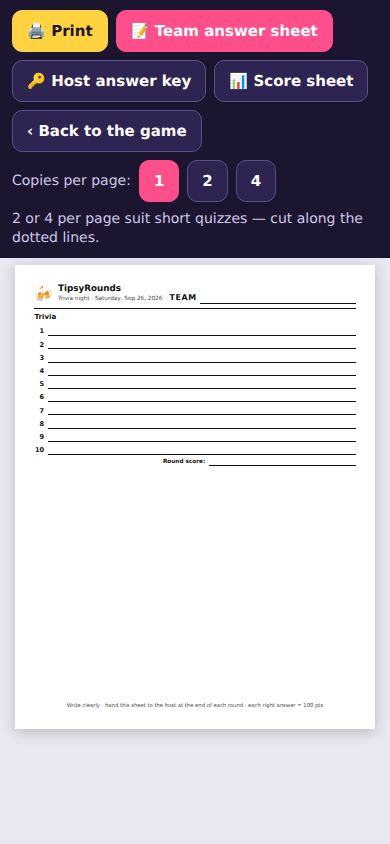
Step 2: Print the sheets
Tap 🖨️ Print answer & score sheets: a Team answer sheet (1, 2 or 4 per page), a Host answer key and a Score sheet. Then 🖨️ Print.
-
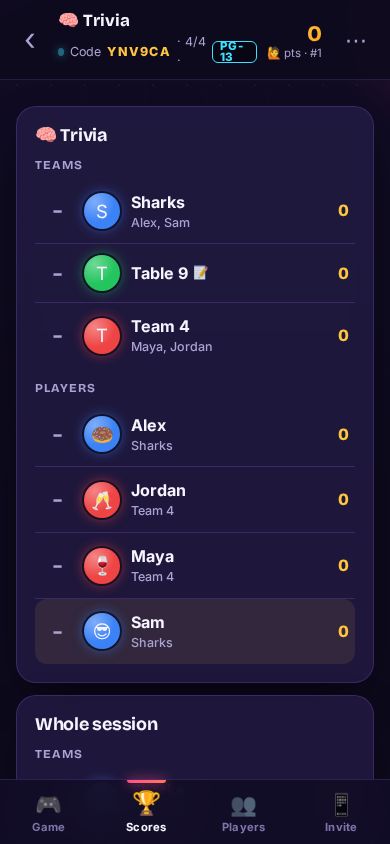
Step 3: Type in their scores
After each round, enter each paper team’s right answers on the Paper teams card. They show on the Scores tab and the TV with a 📝.
Good to know
- Paper teams play Trivia and Pub quiz; the speed bonus goes off while they’re in.
- Players can’t join a paper team from their phones — it’s scored by you.
Still stuck? Contact us — a real person reads every message. · All help articles