
Chromecast / Google TV (📺 Cast)
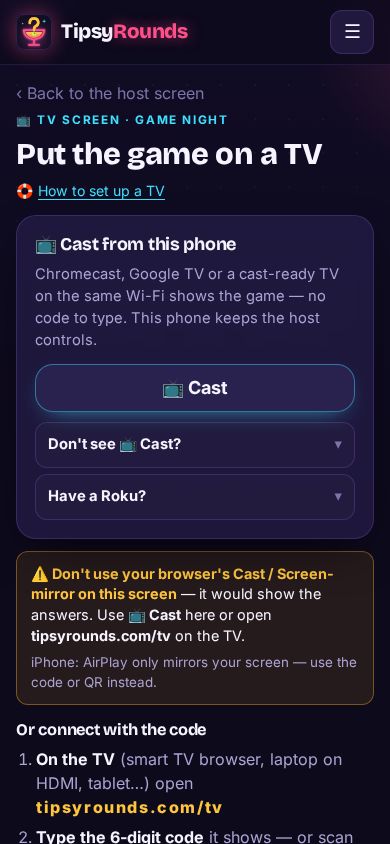
Tap 📺 Cast and the TV loads its own room-safe screen — your phone keeps the controls, and there’s no code to type.
-
Step 1: Use Chrome on the same Wi-Fi
On Android or a computer, open the host screen in Chrome, on the same Wi-Fi as the TV, then ⋯ → 📺 Connect a TV. Tap 📺 Cast.
-
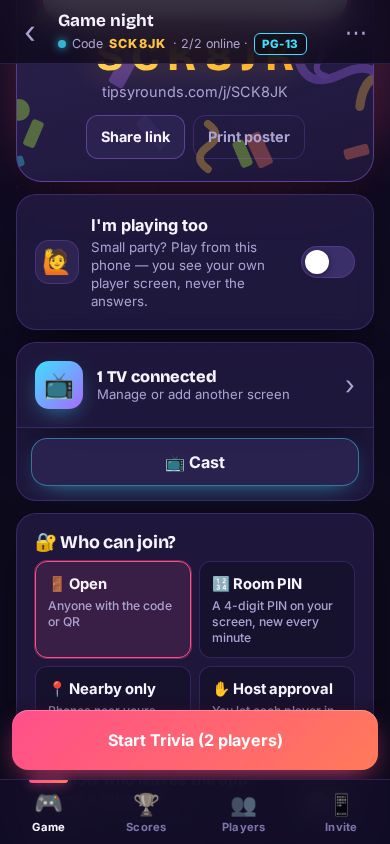
Step 2: Or cast from the Game tab
The 📺 Cast button also sits right under the TV card on the host screen.
-
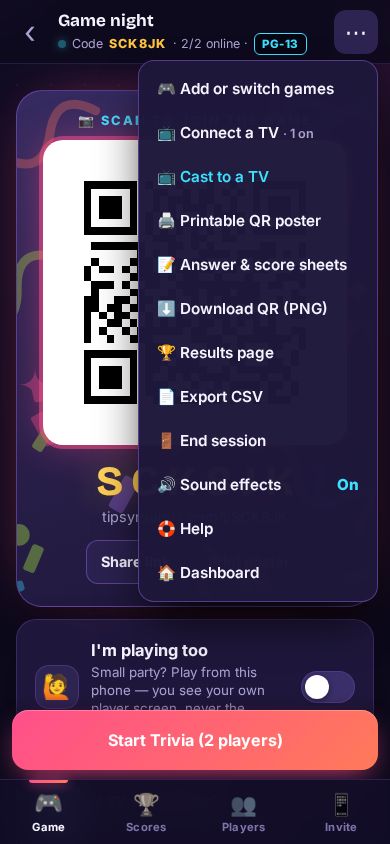
Step 3: Or from the ⋯ menu
Mid-game, ⋯ → 📺 Cast to a TV does the same, and Stop casting ends it.
-
Step 4: Pick your TV
Choose the TV in the list. It opens the TV screen by itself: questions, reveals and scores — never your host controls.
📺 TV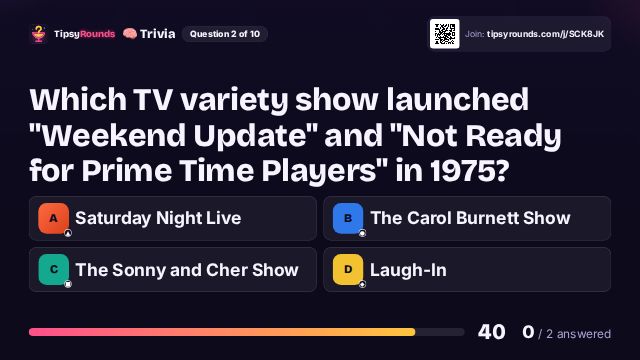
If you don’t see 📺 Cast
- Be on the same Wi-Fi as the TV — not a guest or “isolated” network (many bars’ guest Wi-Fi blocks casting).
- Android 12+: Settings → Apps → Chrome → Permissions → Nearby devices → Allow. Turn off any VPN.
- Use Chrome itself — iPhone Chrome can’t cast. Use tipsyrounds.com/tv and the code instead.
Still stuck? Contact us — a real person reads every message. · All help articles